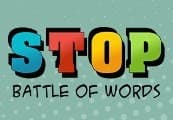
Stop Online: Battle of Words Steam CD Key
Steam, works worldwide
Instant digital delivery • Payment fees shown at checkout
Your key shows on screen and in your vault right after payment. We never email the key itself.
- Platform
- Steam
- Region
- Global
- Developer
- BRHP
- Publisher
- BRHP
- Genres
- Simulation, Indie, Casual, Puzzle
- Languages
- German, English, Spanish, Czech, Dutch, Polish, Portuguese, Russian, Turkish, Portuguese - Brazil
How to activate on Steam
- Open the Steam app or store.steampowered.com and sign in.
- For a game key: in the app, choose Games, then Activate a Product on Steam, and paste your code.
- For a Steam Wallet code: open your account, choose Add funds to your Steam Wallet, then Redeem a Steam Gift Card or Wallet Code.
Screenshots
Videos
Stop Online: Battle of Words Steam CD Key Platform: Steam Release Date: 15/01/2016 Product Description Stop Online is a multiplayer battle of words game where you compete with several players aiming to challenge them on their knowledge of words, trying to be the quickest to respond in order to achieve the highest rank.
The words are in your language and you will challenge players in the same language. Languages currently supported are English, Portuguese, Spanish, French, German, Italian, Russian, Turkish, Czech, Dutch and Polish. System Requirements PC: OS: Windows XP Memory: 512 MB RAM DirectX: Version 9.0 Network: Broadband Internet connection Storage: 100 MB available space Mac OS X: OS: Mac OS X 10.6 Memory: 512 MB RAM Network: Broadband Internet connection Storage: 100 MB available space SteamOS + Linux: OS: Ubuntu 10.10+, Mint 17.1+ Memory: 512 MB RAM Network: Broadband Internet connection Storage: 100 MB available space
Go to: http://store.steampowered.com/ and download STEAM client Click "Install Steam" (from the upper right corner) Install and start application, login with your Account name and Password (create one if you don't have). Please follow these instructions to activate a new retail purchase on Steam: Launch Steam and log into your Steam account.
Click the Games Menu. Choose Activate a Product on Steam... Follow the onscreen instructions to complete the process. After successful code verification go to the "MY GAMES" tab and start downloading.
Code refused or something not right? Check the region on this page first, then write to [email protected] with your order number. Full redeem guide
- German
- English
- Spanish
- Czech
- Dutch
- Polish
- Portuguese
- Russian
- Turkish
- Portuguese - Brazil
Stop Online: Battle of Words Steam CD Key
$1.99