
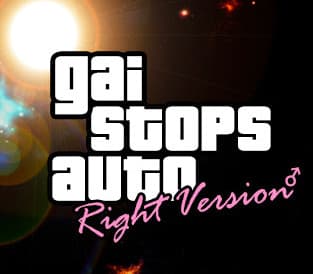
GAI Stops Auto: Right Version Simulator Steam CD Key
Steam, works worldwide
Instant digital delivery • Payment fees shown at checkout
Your key shows on screen and in your vault right after payment. We never email the key itself.
- Platform
- Steam
- Region
- Global
- Release date
- June 4, 2021
- Developer
- Axyos Games
- Publisher
- Axyos Games
- Genres
- Action, Adventure, Casual, Indie, RPG, Simulation
- Languages
- English, Russian
How to activate on Steam
- Open the Steam app or store.steampowered.com and sign in.
- For a game key: in the app, choose Games, then Activate a Product on Steam, and paste your code.
- For a Steam Wallet code: open your account, choose Add funds to your Steam Wallet, then Redeem a Steam Gift Card or Wallet Code.
Screenshots
Videos
In the GAI Stops Auto you will become a traffic police officer. Stop cars and check for violations. You can communicate with drivers in different ways. Write out fines for drivers or take a bribe - it's up to you. Events Sometimes unpredictable events will occur around you. You must be willing to overcome them. Watch out for the police boss.
Beware of wild muscular guys and animals! Explore the space around. Find secret objects. Story Complete the missions and go through the story of a police officer. Reach the end and find out how it all ends! Features Car traffic system Dialogs Epic story Meme characters Fun events
Windows
Minimum:
- Requires a 64-bit processor and operating system OS: Windows 7 Processor: Intel Core i3 4170 or AMD FX-8120 Memory: 4 GB RAM Graphics: GeForce GTX 460 or Radeon HD 5850 Storage: 4 GB available space
Linux
Minimum:
- Requires a 64-bit processor and operating system Recommended: Requires a 64-bit processor and operating system
Mac
Minimum:
- Requires a 64-bit processor and operating system Recommended: Requires a 64-bit processor and operating system
Go to: http://store.steampowered.com/ and download STEAM client Click "Install Steam" (from the upper right corner) Install and start application, login with your Account name and Password (create one if you don't have). Please follow these instructions to activate a new retail purchase on Steam: Launch Steam and log into your Steam account.
Click the Games Menu. Choose Activate a Product on Steam... Follow the onscreen instructions to complete the process. After successful code verification go to the "LIBRARY" tab and start downloading.
Code refused or something not right? Check the region on this page first, then write to [email protected] with your order number. Full redeem guide
- English
- Russian
GAI Stops Auto: Right Version Simulator Steam CD Key
$1.99