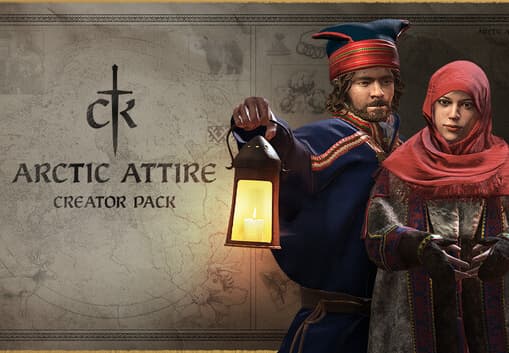

Crusader Kings III PC Steam CD Key
Steam, funsiona iha mundu tomak
Entrega dijitál lalais • Taxa pagamentu mosu iha checkout
Ita-nia xave mosu iha ekrã no iha ita-nia kofre kedas hafoin selu. Ami nunka haruka xave rasik liuhusi email.
- Plataforma
- Steam
- Rejiaun
- Globál
- Data lansamentu
- 1 de setembro de 2020
- Dezenvolvedór
- Paradox Development Studio
- Editora
- Paradox Interactive
- Jéneru
- Strategy, RPG, Simulation
- Lian sira
- German, English, French, Spanish, Russian, Chinese, Korean
- Klasifikasaun idade
- PEGI 12
Oinsá ativa iha Steam
- Loke aplikasaun Steam ka store.steampowered.com no tama ba ita-nia konta.
- Ba xave jogu: iha aplikasaun, hili Games, depois Activate a Product on Steam, no tau ita-nia kódigu.
- Ba kódigu Steam Wallet: loke ita-nia konta, hili Add funds to your Steam Wallet, depois Redeem a Steam Gift Card or Wallet Code.
Imajen ekrã
Vídeo sira
Kona-ba produtu ne'e
Paradox Development Studio brings you the sequel to one of the most popular strategy games ever made. Crusader Kings III is the heir to a long legacy of historical grand strategy experiences and arrives with a host of new ways to ensure the success of your royal house. Features Choose a royal or noble house from a number of realms on a map that stretches from Iceland to India, from the Arctic Circle to Central Africa. Guide a dynasty through the centuries, ensuring the security and power of each new generation. Gather new lands and titles to cement your legacy. Be a pious king to bring the religious powers to your side, or strike out on your own, designing your own splinter religion and earning everlasting fame or eternal damnation. Knights, peasant revolts, pilgrimages, Viking raiders...experience the drama and pageantry of the Middle Ages.
Oinsá atu ativa
Go to: http://store.steampowered.com/ and download STEAM client Click "Install Steam" (from the upper right corner) Install and start application, login with your Account name and Password (create one if you don't have). Please follow these instructions to activate a new retail purchase on Steam: Launch Steam and log into your Steam account. Click the Games Menu. Choose Activate a Product on Steam... Follow the onscreen instructions to complete the process. After successful code verification go to the "MY GAMES" tab and start downloading.
Rekizitu sistema
Windows
- Requires a 64-bit processor and operating system OS: Windows® 8.1 64 bit or Windows® 10 Home 64 bit Processor: Intel® iCore™ i5-750 or Intel® iCore™ i3-2120, or AMD® Phenom™ II X6 1055T Memory: 4 GB RAM Graphics: Nvidia® GeForce™ GTX 460 (1 GB), or AMD® Radeon™ R7 260X (2 GB) or AMD® Radeon™ HD 6970 (2 GB), or Intel® Iris Pro™ 580 Storage: 8 GB available space
Mac
- Requires a 64-bit processor and operating system OS: Mojave (MAC OS X 10.14) Processor: Intel® iCore™ i7-7820HQ Memory: 16 GB RAM Graphics: AMD® Radeon™ PRO 560 (4 GB) Storage: 8 GB available space
Linux
- Requires a 64-bit processor and operating system OS: Ubuntu 18.04 Processor: Intel® iCore™ i5-750 or Intel® iCore™ i3-2120, or AMD® Phenom™ II X6 1055T Memory: 4 GB RAM Graphics: Nvidia® GeForce™ GTX 460 (1 GB), or AMD® Radeon™ R7 260X (2 GB) or AMD® Radeon™ HD 6970 (2 GB), or Intel® Iris Pro™ 580 Storage: 8 GB available space
Crusader Kings III PC Steam CD Key
14,99 US$